You probably don't need JupyterHub on Kubernetes
To deploy Jupyter notebooks on Kubernetes using open-source software, there are currently two major approaches to choose from:
Make Notebooks a Core Feature on Kubernetes
This is usually done using CRDs to make Kubernetes treat a Notebook as it treats a Pod or a Secret. These Custom Resources are backed by an Operator that is aware of notebook management logic and will be in charge of your notebooks based on the configuration you provide.
While this approach is well-integrated with the Kubernetes ecosystem, it also adds complexity and a significant maintenance burden, even for those familiar with Kubernetes. You need to maintain the CRD and learn how to interact with the Operator.
The most familiar and well-maintained of these is the one Kubeflow provides. The problem is that you need to deploy many other components (if not the entire stack) to get access to the Operator. But even if we could isolate it, I still think we don’t really need an extra Operator looking after our notebooks — Kubernetes can take care of them on its own.
Run JupyterHub on Kubernetes
JupyterHub has been around for a long time, serving notebooks even before Kubernetes gained momentum. As more people started running applications inside Kubernetes, JupyterHub was compelled to run, as is, inside Kubernetes as well.
This approach avoids reinventing the wheel by utilizing purpose-built adapters such as Kubespawner and those in Zero-to-jupyterhub-k8s. As a result, people familiar with managing notebooks outside of Kubernetes won’t feel lost.
The drawback is that it relies on “glue code” to connect JupyterHub with Kubernetes, which can feel hacky and introduces feature redundancy:
- JupyterHub relies on its own Kubespawner to spawn Kubernetes resources (Pod, PVC, etc.) representing a notebook. But why add another Kubernetes custom client when we already use Helm?
- JupyterHub has its own auth layer, but why not utilize Kubernetes authn/authz features for user management?
- JupyterHub comes with its own node-http-proxy for reverse proxying, but wouldn’t it be better to utilize the well-established Ingress NGINX Controller?
- JupyterHub uses its own jupyterhub-idle-culler to identify and shut down idle or long-running notebooks. But why not rely on Kubernetes' Horizontal Pod Autoscaler?
Enter notebook-on-kube
notebook-on-kube is a simple Python application based on FastAPI that:
- Relies on Helm to manage notebooks. You can customize every part of your notebook via a YAML file.
- Uses your Kubernetes OpenID Connect token on your behalf to manage your notebooks, reusing Kubernetes RBAC for a more transparent permission model.
- Deploys an Ingress NGINX Controller instance and configures it for each notebook via Ingress resources.
notebook-on-kube leverages the existing features and tools that are designed to run applications on Kubernetes, providing a third, middle-ground approach that is easy to maintain and well-integrated for managing notebooks on Kubernetes. Give it a try!
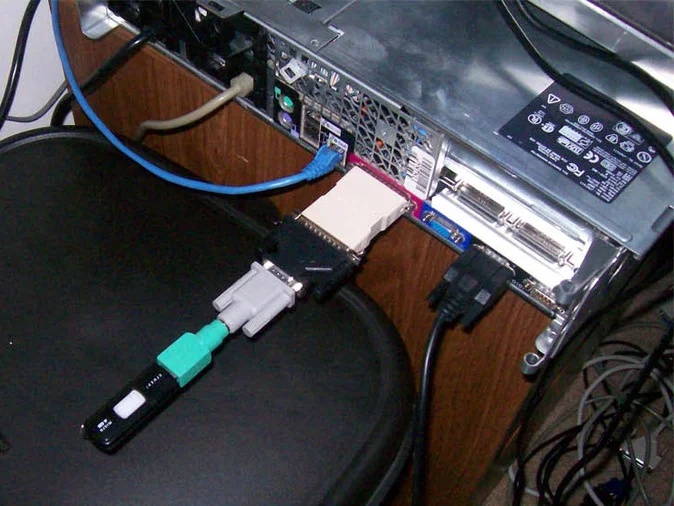
The photo below illustrates the hardware equivalent of “glue code”. Whether Jupyter represents the flash drive or the system unit is open to debate, but it would certainly be more convenient if we could just plug in the flash drive directly.
The approach demonstrated here can be extended to any other legacy software. With Kubernetes becoming the new Linux, let’s make our applications Kubernetes-friendly — particularly when the process is straightforward.